
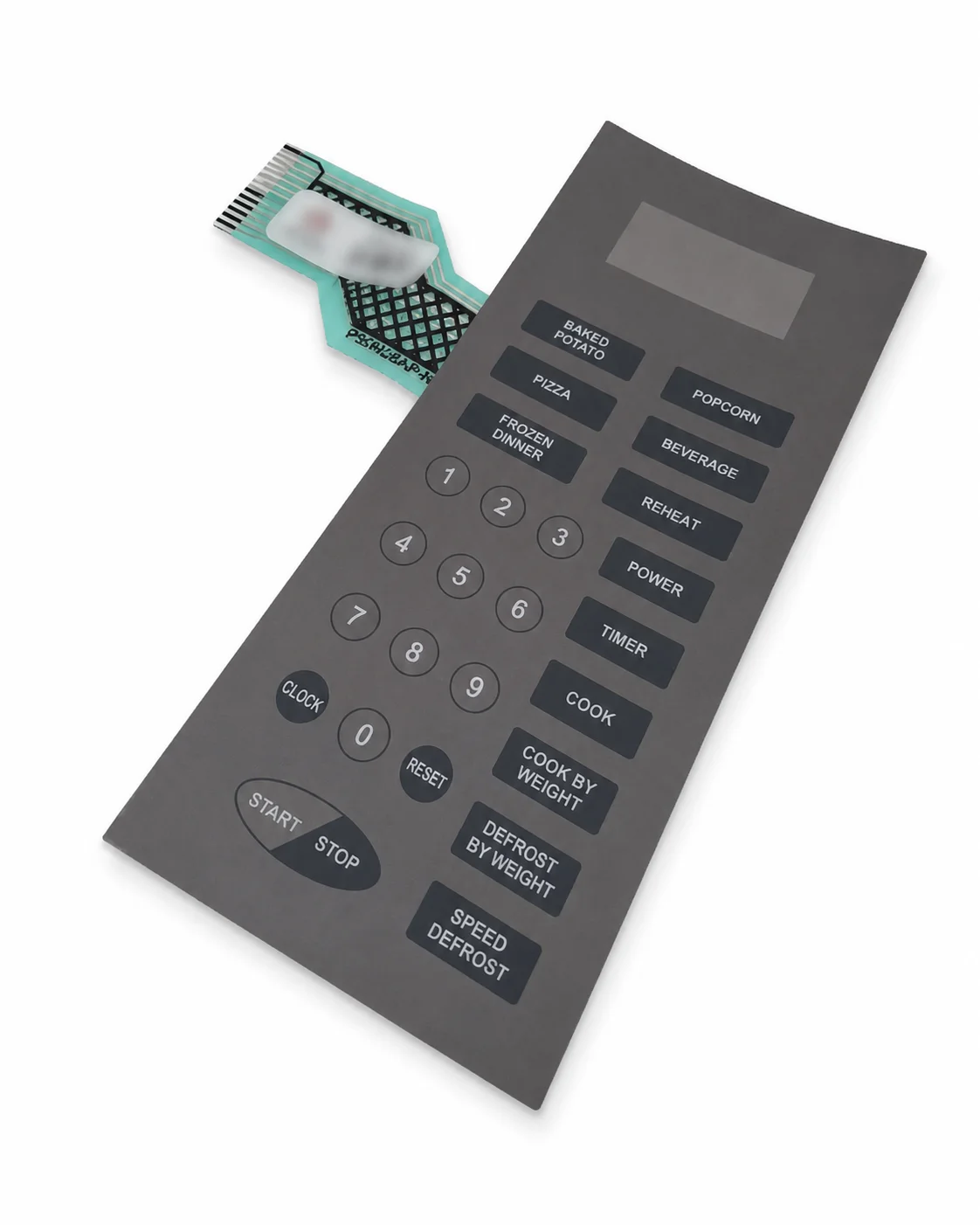
Defy Microwave Oven Touch Pad
R350,00
Check your model number below. Still unsure? Send us a photo of your appliance label.
About this part
Defy Microwave Oven Touch Pad / Membrane Keypad – 040228D
The Defy Microwave Oven Touch Pad 040228D is a replacement membrane keypad designed for compatible Defy digital microwave ovens. It provides the labelled programme buttons used to enter cooking times, select power levels, activate preset programmes and operate the microwave controls.
This touch pad is suitable for replacing an original keypad with worn button markings, cracked membrane material, damaged conductive tracks or buttons that no longer respond correctly. It connects to the microwave control board through a flexible ribbon cable.
Product Features
- OEM reference: 040228D
- Part type: Microwave touch pad / membrane keypad
- Suitable for selected Defy digital microwave ovens
- Designed to match the compatible Defy control-panel layout
- Flexible membrane construction with printed control buttons
- Connects to the electronic control board through a ribbon cable
- Allows selection of cooking time, power level and programme functions
- Replacement for worn, cracked, damaged or unresponsive touch pads
Common Symptoms This Part May Fix
- Some microwave buttons not responding
- Start button no longer working
- Number buttons responding intermittently
- Buttons activating the incorrect function
- Touch pad requiring excessive pressure
- Cracked, peeling or damaged keypad surface
- Worn or unreadable button markings
- Damaged or corroded membrane ribbon cable
- Microwave displaying normally but not accepting keypad commands
Important Diagnostic Note
Unresponsive buttons do not always indicate a faulty touch pad. Similar symptoms may be caused by a damaged ribbon-cable connector, moisture contamination, a faulty electronic control board or a defective door-switch circuit.
Inspect the ribbon cable and control-board connector before replacing the keypad. Avoid touching or contaminating the exposed ribbon contacts during installation.
Important Fitment Note
Confirm the complete microwave model and compare the button layout, printed functions, dimensions, ribbon-cable position and connector contacts with the original touch pad before ordering.
This product is the membrane touch pad only unless the listing specifically states otherwise. The electronic control board, LED display, plastic control-panel frame and mounting hardware are not included.
Critical Safety Warning
Microwave ovens contain high-voltage components that may retain a potentially lethal electrical charge after the appliance has been disconnected. Repairs must be performed only by a suitably qualified and experienced microwave technician.
Never operate the microwave with the outer cabinet removed. After completing the repair, ensure that all shielding, screws and safety interlocks have been correctly reinstalled.
Check your model
R350,00